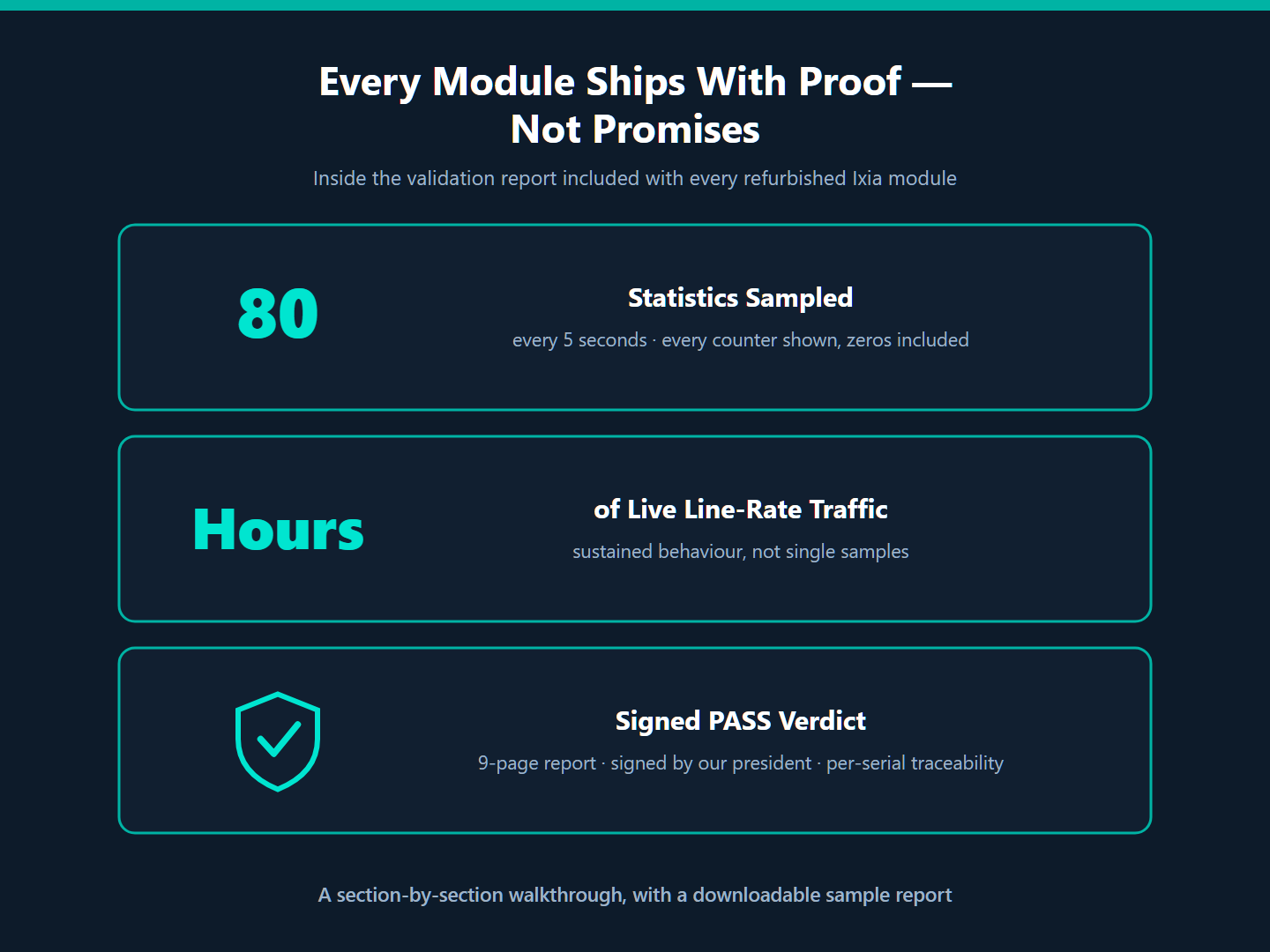
Every listing we publish says the same two things: fully tested, and ships with a comprehensive test report. This post shows you exactly what that means. Below is a section-by-section walkthrough of a real validation report — a 9-page document generated for an Ixia Xcellon-Lava AP40/100GE 2P that shipped to a customer last week (customer details redacted) — so you know precisely what lands in your inbox alongside your module.
Download the complete redacted sample report (PDF) →
The Testing Philosophy Behind the Report
Before the walkthrough, three principles that shape how we test — you’ll see them reflected on every page:
- Sustained behaviour, not single samples. A module doesn’t pass because it linked up once. It passes when every port holds link at the negotiated speed with zero error accumulation and normal chip temperatures across the entire monitoring window — in this sample, 4,384 consecutive samples at a 5-second cadence over hours of full line-rate traffic.
- A clean baseline, measured read-only. Every error counter is verified zero at the start of the window, and monitoring runs read-only against a version-matched IxOS client — the module’s traffic runs undisturbed while we watch.
- Honest limitations, in writing. Where the IxOS API doesn’t expose something on a module family — fan speeds, supply voltages, optical DDM — the report says so explicitly. Everything reported was measured directly from the hardware; nothing is inferred.
Page 1 — The Verdict Up Front
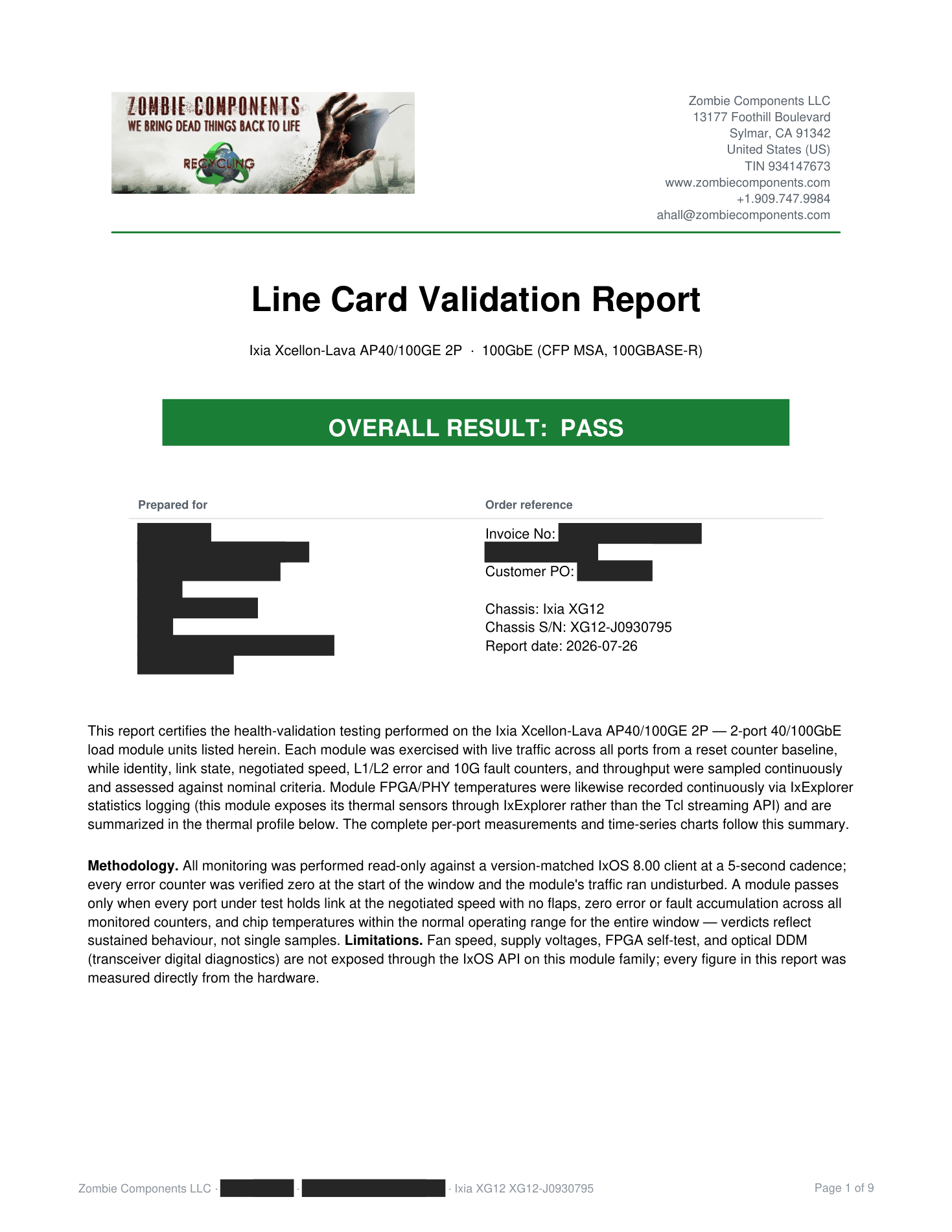
The cover answers the only question that matters first: OVERALL RESULT: PASS — in a banner you can’t miss. Below it sits your order reference (invoice, PO, the exact chassis and serial the test ran in), a certification paragraph describing what was exercised, and the methodology and limitations statements. If you ever need to show an auditor or a procurement team what “tested” meant, it’s all on one page.
Page 2 — Module Specifications & Intended Use
The second page documents what the module is: the full stated-specification table (part number, port configuration, interface standards, capture buffer, stream counts, chassis compatibility) plus a plain-English description of what the card is designed to do. Your lab gets the datasheet context and the test evidence in one document — useful five years from now when the module changes hands internally.
Page 3 — Hardware Under Test, Thermal Profile, and the 10-Point Checklist
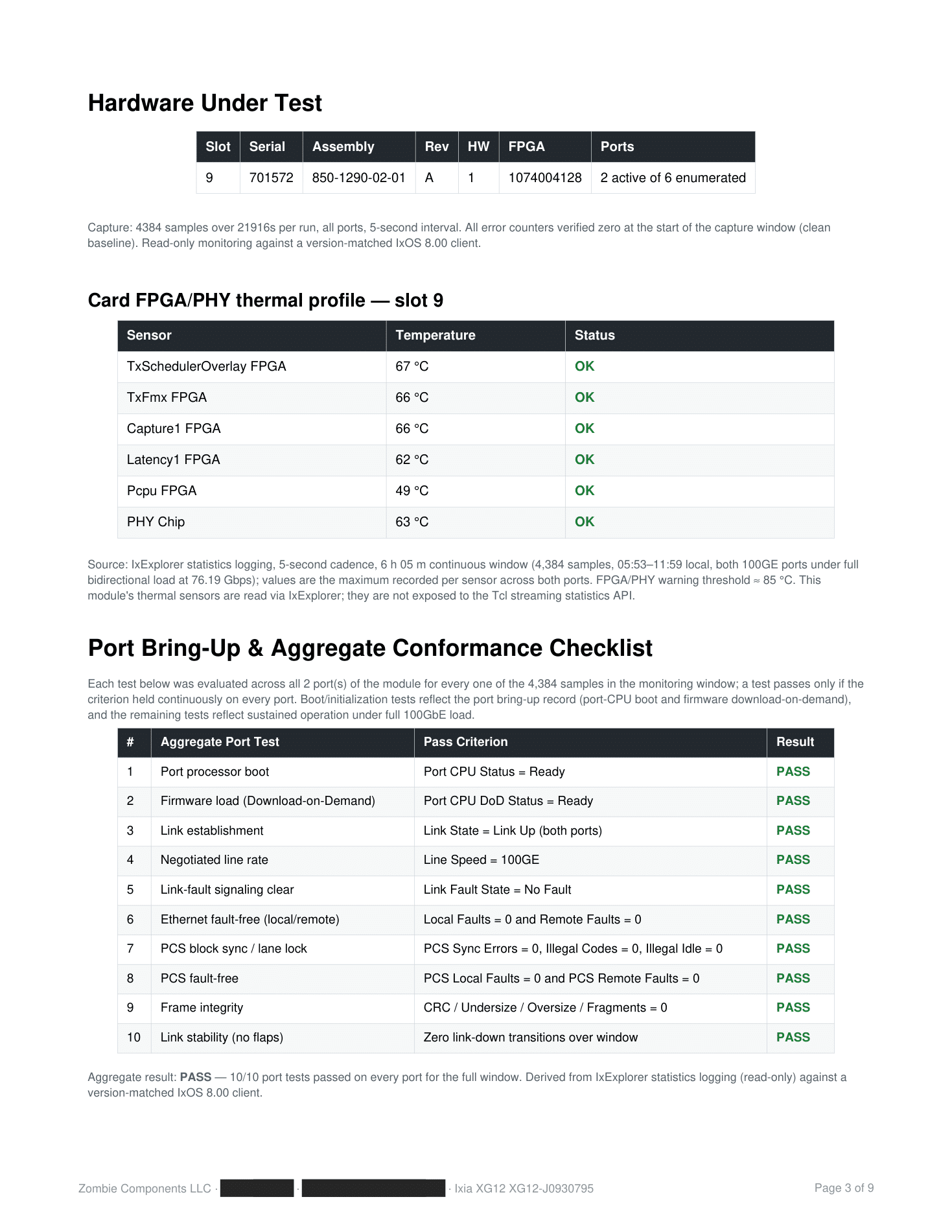
This page identifies the exact hardware — slot, serial number, assembly number, hardware and FPGA revisions — so the report is traceable to your unit, not a batch. Then two of the report’s most valuable tables:
- The thermal profile. Six FPGA/PHY sensors sampled continuously under full load, with the maximum recorded per sensor against the ≈85 °C warning threshold. In this sample the hottest chip peaked at 67 °C after hours at line rate — documented headroom, not a guess.
- The 10-point bring-up and conformance checklist. Port CPU boot, firmware download-on-demand, link establishment, negotiated line rate, link-fault signaling, local/remote faults, PCS sync and lane lock, frame integrity, and link stability (zero flaps) — each with its explicit pass criterion, each evaluated on every port for every sample in the window.
Page 4 — The Event-Log Summary
Results are then presented in the IxServer event schema familiar to anyone who has run an Ixia chassis — one aggregate line per event family, with the roll-up counts noted so you can see that all 80 logged statistic categories are represented and nothing was quietly dropped. This is where you read, in one place: 3.26 trillion frames transmitted per port, 1,671 terabits sent and received per port, zero loss.
Pages 5–6 — Every One of the 80 Statistics Fields
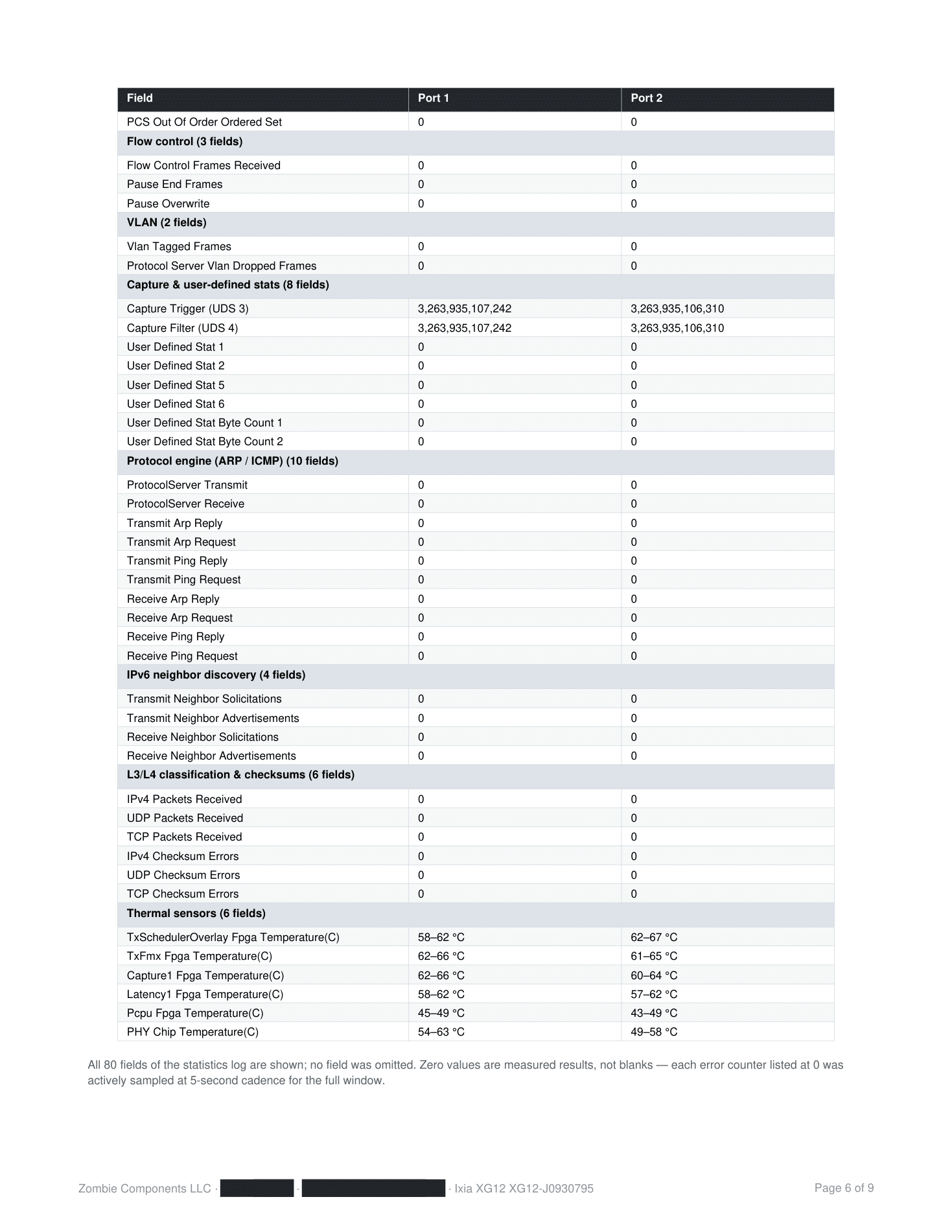
The complete field-by-field table: every statistic the module logs, listed with its measured value for each port — including every error counter that stayed at zero. That’s the point: a zero in this table is not a blank, it’s a measurement that was actively sampled every five seconds for the full window. CRC errors, PCS sync errors, checksum errors, fragments, faults — you can see for yourself that each one was watched and each one stayed clean.
Page 7 — Time-Series Graphs
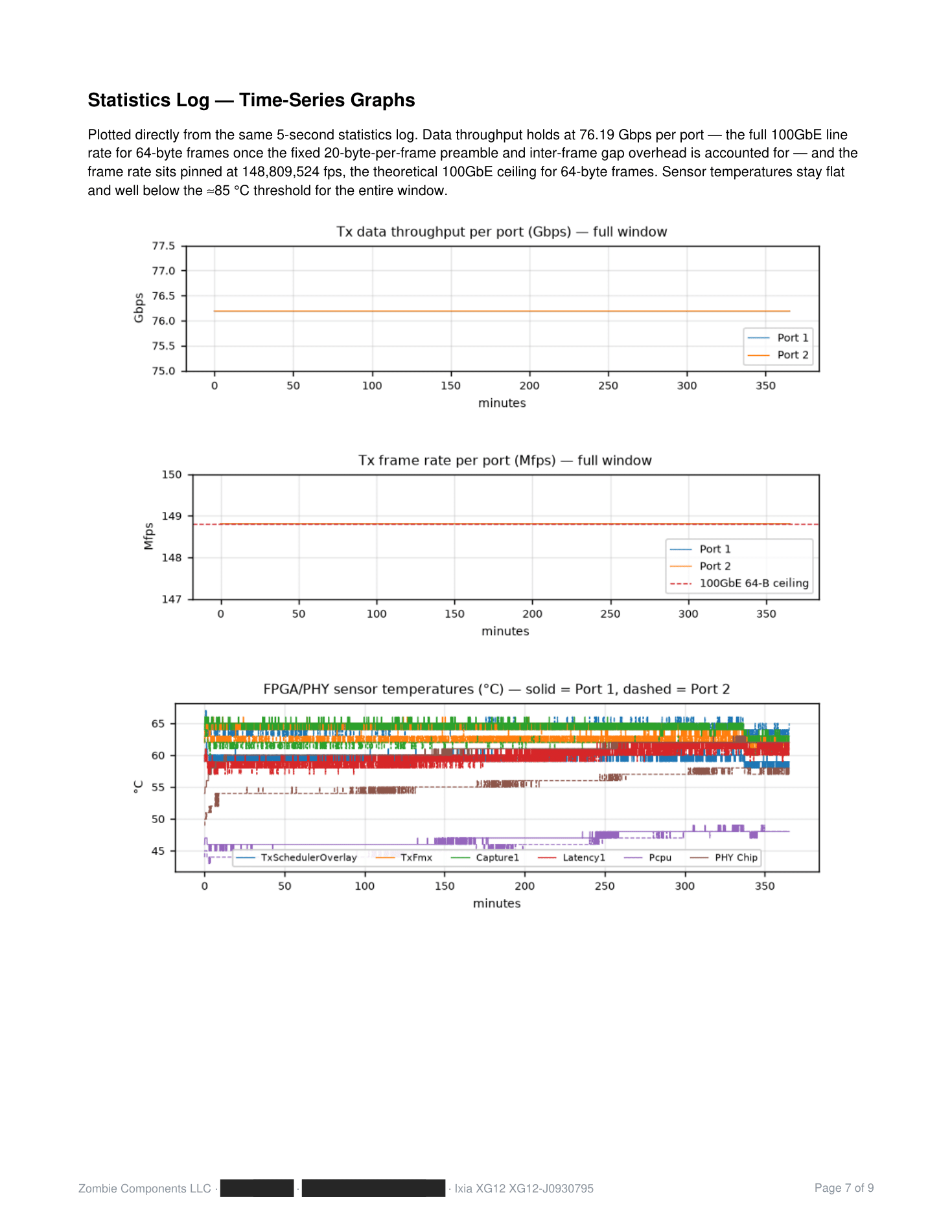
Numbers can summarize; graphs can’t hide. Plotted straight from the 5-second log: throughput holding a flat line at 76.19 Gbps per port — which is full 100GbE line rate for 64-byte frames once you account for the fixed per-frame preamble and inter-frame gap — the frame rate pinned against the theoretical 148,809,524 fps ceiling, and six temperature traces staying flat and far below threshold for the entire window. Throughput sag, thermal creep, or link flaps would be visible here at a glance. There aren’t any — and you can verify that yourself rather than take our word.
Page 8 — Per-Module Detail
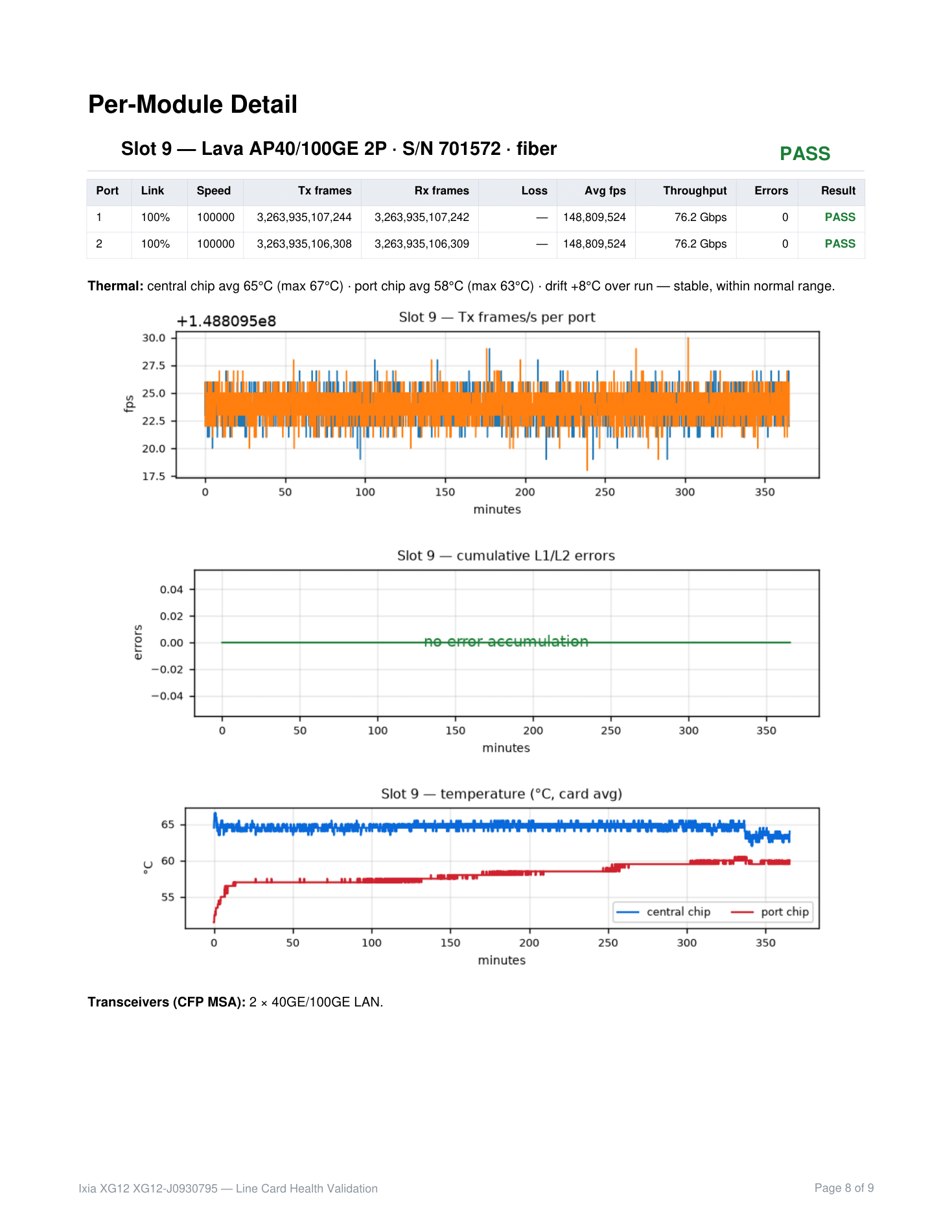
One compact table per module: port-by-port link state, frames sent and received, loss, average frame rate, throughput, error count, and verdict — plus the thermal summary and the transceiver configuration used. When an order contains several modules, each gets its own block here, so multi-card orders arrive with per-serial accountability.
Page 9 — The Sign-Off
The last page is a certification: the customer, order, chassis, and modules tested, the overall result, and a personal signature. Not a rubber stamp from “QA department” — our president tests these modules and signs each report by name. If something is ever wrong, you know exactly who stands behind the document.
What This Means When You Buy
- Proof of functionality on day one. Your lab has documented, per-serial evidence the module ran at wire speed, error-free, before it shipped — useful for incoming inspection, asset records, and audits.
- A thermal baseline. You know the module’s temperature behaviour under sustained full load before it ever enters your chassis — and you can compare against it years later.
- No cherry-picking. All 80 counters are in the report, zeros included. The methodology and its limitations are stated on page 1.
- Traceability. Serial, assembly revision, FPGA revision, chassis, IxOS version, date, and a named signature — the whole chain of custody in one PDF.
Every refurbished Ixia module we sell ships with this report — from a 32-port XDM10G32S to a single NGY card. If you’d like to see the document in full before ordering, download the sample above, or ask us and we’ll send one for the exact module family you’re considering.
Download the complete redacted sample test report (PDF) →
Or contact us with questions about our testing process, volume orders, or a specific module: Contact Zombie Components
Zombie Components LLC · 13177 Foothill Blvd, Sylmar, CA 91342 · +1.909.747.9984 · ahall@zombiecomponents.com